Adobe Color vs Colorhero: Which Color Tool Is Right for You
Compare Adobe Color and Colorhero for palette generation. Learn which tool fits your workflow: Adobe Color for complex color theory exploration or Colorhero for instant hero section palettes with ready-to-use role assignments.
Adobe Color and Colorhero both generate color palettes, but they serve fundamentally different purposes. Adobe Color is a deep color theory tool for exploring harmony relationships and building custom palettes from scratch. Colorhero is a focused generator that produces complete, role-assigned palettes for hero sections and landing pages with one click.
Choosing between them depends on what you need: exploration and learning versus speed and application. This comparison breaks down each tool's strengths, ideal use cases, and limitations so you can pick the right one for your workflow.
Adobe Color Overview
Adobe Color (formerly Adobe Kuler) is a web-based color tool that has been part of the Adobe ecosystem for over a decade. It focuses on color theory education and exploration through an interactive color wheel interface.
Core features
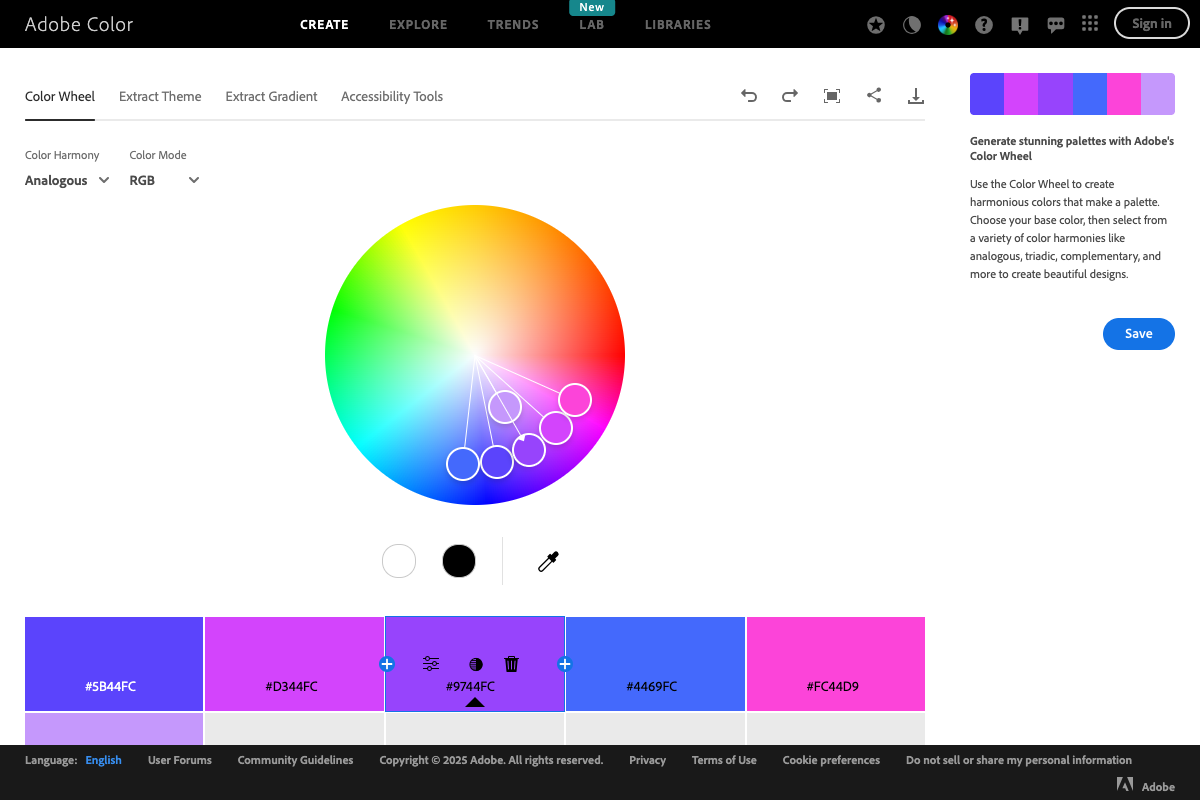
Adobe Color centers around a color wheel where you can drag points to create palettes following specific harmony rules. You control every aspect of color selection, learning color relationships through hands-on manipulation.
- Interactive color wheel with harmony rule overlays
- Multiple harmony modes: complementary, analogous, triadic, split-complementary, and more
- Extract palettes from uploaded images
- Save palettes to Adobe Creative Cloud library
- Community-shared palette exploration
Strengths
Adobe Color excels at teaching color theory. If you want to understand why certain colors work together, the visual feedback of moving points on the color wheel builds intuition over time. The tool also integrates seamlessly with other Adobe products.
Limitations
Adobe Color generates five-color palettes without role assignments. You get colors that are harmonically related, but you must decide yourself which becomes the background, which becomes the accent, which works for text. This requires additional design knowledge to apply effectively.
Colorhero Overview
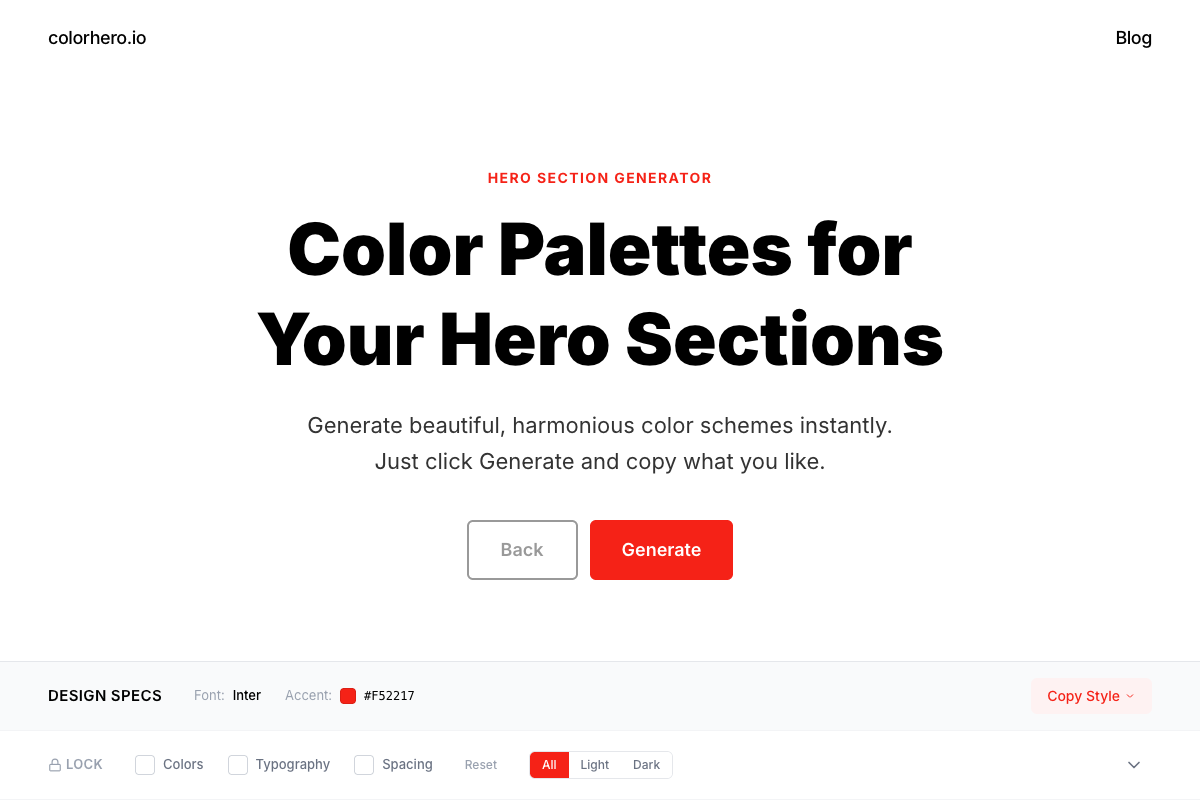
Colorhero is a purpose-built tool for generating hero section and landing page palettes. Rather than exploring color theory, it delivers complete, ready-to-use palettes with colors already assigned to specific roles.
Core features
Colorhero takes a curated approach. Each palette in its library has been designed specifically for landing pages, with background, accent, text, and light text colors pre-selected and contrast-verified.
- One-click palette generation from 280+ curated options
- Role-assigned colors: background, accent, text, text-light
- Light and dark mode filtering
- Lock feature to preserve preferred colors while generating others
- Copy hex codes and complete CSS with one click
Strengths
Colorhero prioritizes speed and usability. You can generate and apply a complete palette in under a minute. No color theory knowledge required. Every combination has been pre-verified for contrast and accessibility.
Limitations
Colorhero does not teach color theory or let you create palettes from scratch. If you want to explore custom harmony relationships or understand the mathematics behind color combinations, it is not the right tool. It trades flexibility for speed.
Feature Comparison
A direct feature comparison helps clarify which tool matches your needs.
Palette generation
Adobe Color: Manual selection using color wheel. You choose base colors and harmony rules, then adjust until satisfied. Full control but requires time and knowledge. Colorhero: Instant generation from curated library. One click produces a complete, usable palette. Fast but less customizable.
Color roles
Adobe Color: No role assignment. Five colors presented equally. You decide application. Colorhero: Pre-assigned roles. Background, accent, text, and text-light clearly designated for specific uses.
Accessibility checking
Adobe Color: Includes contrast checker tool but requires manual verification. Colorhero: All palettes pre-verified for WCAG contrast compliance. No additional checking needed.
Learning value
Adobe Color: High educational value. Excellent for understanding color relationships through hands-on exploration. Colorhero: Low direct educational value but demonstrates good palette examples through exposure to curated combinations.
Speed to usable result
Adobe Color: Minutes to hours depending on experience. Requires trial and error. Colorhero: Seconds. Generate, evaluate, copy. Immediate application.
When to Use Adobe Color
Adobe Color is the right choice for specific situations where its depth and flexibility provide value that faster tools cannot match.
Learning color theory
If you want to develop color intuition and understand why combinations work, Adobe Color teaches through interaction. Moving points on the wheel and seeing harmony rules update builds lasting knowledge.
Starting with a specific color
When you have an exact brand color that must be included, Adobe Color lets you input that color and build harmonies around it. The wheel shows complementary, analogous, and other relationships to that specific starting point.
Adobe ecosystem integration
If you work primarily in Photoshop, Illustrator, or other Adobe products, Adobe Color palettes save directly to Creative Cloud libraries. This tight integration streamlines workflows for Adobe-centric teams.
Complex multi-color projects
Projects requiring more than four colors, like data visualizations or complex illustrations, benefit from Adobe Color's ability to build extended palettes with controlled harmony relationships.
The Best Color Palette Generators Compared →
When to Use Colorhero
Colorhero fits situations where speed, simplicity, and ready-to-use output matter more than deep customization or learning.
Landing page design
When building landing pages, you need a complete palette quickly. Colorhero provides background, accent, and text colors pre-selected to work for hero sections specifically. No assembly required.
Quick client explorations
When presenting color directions to clients, generating multiple options fast matters. Colorhero produces dozens of palettes in minutes. Show clients five or ten options quickly rather than spending hours building each one.
Non-designers needing palettes
Founders, developers, and marketers without design training can produce professional palettes with Colorhero. No color theory knowledge needed. Every generated option is pre-verified to work.
How Founders Can Choose Website Colors Without a Designer →
Hero section focus
Colorhero is specifically optimized for hero sections. If that is your primary use case, the tool's focus on this application produces better results than general-purpose generators.
Workflow Comparison
Understanding how each tool fits into a typical design workflow helps clarify when to use which.
Adobe Color workflow
Start with the color wheel. Select a harmony rule. Choose a base color. Adjust points until the combination feels right. Test in your design. Return to adjust if needed. Save to library when satisfied.
- Open Adobe Color website
- Select harmony rule from dropdown
- Click or enter base color
- Drag points to refine palette
- Copy hex codes or save to Creative Cloud
- Apply in your design, iterate if needed
Colorhero workflow
Click Generate. Evaluate the palette. If not right, click again. Lock colors you like and generate the rest. Copy hex codes when satisfied. Apply immediately.
- Open Colorhero
- Click Generate button
- Evaluate palette in preview
- Lock any colors to keep
- Generate again until satisfied
- Copy hex codes and apply
Pricing and Accessibility
Both tools have different access models that affect who can use them.
Adobe Color pricing
Adobe Color is free to use on the web. Full integration with Creative Cloud requires a Creative Cloud subscription, but the core palette creation tools are accessible to anyone without payment.
Colorhero pricing
Colorhero is free to use. All palette generation features are available without payment or account creation. Copy hex codes and use them anywhere.
Use Cases Summary
Different projects call for different tools. Here is a quick reference for which to choose.
Choose Adobe Color when
- Learning color theory is a goal
- Starting from a specific brand color
- Building complex multi-color systems
- Working in Adobe Creative Cloud ecosystem
- Creating data visualization palettes
- Exploring unusual harmony relationships
Choose Colorhero when
- Building landing pages or hero sections
- Speed matters more than customization
- You lack design training
- Generating multiple options for client review
- You need role-assigned colors ready to apply
- Accessibility verification is important
Using Both Tools Together
The tools are not mutually exclusive. Many designers use both depending on the situation. A typical hybrid workflow might use Colorhero for quick exploration and Adobe Color for refinement.
Exploration to refinement
Start with Colorhero to generate options quickly. When you find a direction you like, take those colors to Adobe Color to understand their harmonic relationships and potentially adjust them with more precision.
Learning through comparison
Generate palettes in Colorhero, then analyze them in Adobe Color. Seeing where the colors fall on the wheel teaches why the combinations work, building intuition for future projects.
FAQ
Is Adobe Color better for professional designers?
Not necessarily. Professional designers often prioritize speed for client work and use tools like Colorhero for rapid exploration. Adobe Color is better for learning and custom color work, but many professionals use both depending on project needs.
Can Colorhero create custom palettes like Adobe Color?
No. Colorhero generates from a curated library rather than allowing freeform color selection. If you need to start from a specific hex code and build harmony around it, Adobe Color is the better choice. Colorhero trades customization for speed and guaranteed usability.
Which tool has better accessibility features?
Colorhero has better built-in accessibility because all palettes are pre-verified for WCAG contrast compliance. Adobe Color includes contrast checking tools, but you must manually verify each combination. For guaranteed accessibility without extra effort, Colorhero is more reliable.
Do I need to know color theory to use these tools?
Adobe Color is more accessible with color theory knowledge, though it also teaches theory through use. Colorhero requires no color theory knowledge at all. If you have never studied color relationships, Colorhero will produce better results for you immediately.
Can I use Adobe Color palettes for landing pages?
Yes, but you will need to assign roles yourself. Adobe Color outputs five colors without specifying which should be background, accent, or text. Colorhero palettes come with roles pre-assigned for immediate landing page application.
Make Your Choice
Both Adobe Color and Colorhero are excellent tools for their intended purposes. Adobe Color teaches and explores. Colorhero generates and applies. Match the tool to your current need, and do not hesitate to use both at different stages of your design process.
Try Colorhero for instant hero section palettes →
How Colorhero Generates Perfect Hero Section Palettes →
How Developers Can Quickly Build Beautiful Color Systems →
UI Color Picker Tools Compared →
Try Colorhero
Colorhero generates complete hero section palettes with role-assigned colors in one click. Get background, accent, text, and light text colors designed to work together perfectly. No color theory required, no manual contrast checking needed. Just generate, copy, and apply.